
Every few months, a thread makes the rounds on developer social feeds with a surprising claim: SQLite is 35% faster than the filesystem. Every time it resurfaces, the same follow-up question follows closely behind. If a single-file relational database beats raw files on speed and disk space, why are we still storing millions of tiny objects, configs, or Git blobs as individual files in nested directories?
I have spent enough time building and reviewing data-intensive systems to recognize when a benchmark is telling the truth and when a headline is stretching it. SQLite’s benchmark is real, and it has held up across independent production workloads. Yet the history of operating systems, from BeFS to Microsoft’s canceled WinFS, and the architecture of Git itself point to a much more nuanced lesson: targeted hybrids win, while wholesale filesystem replacement almost always backfires.
open() and close() syscalls and packs data tightly into pages. However, that advantage fades above ~100 KB, and replacing general-purpose filesystems with a SQL engine introduces locking, POSIX, and sequential-I/O trade-offs. Targeted hybrids, attribute-indexed filesystems like BeFS, and Git’s packfile architecture capture the same small-object gains without giving up what filesystems do best.Why is SQLite faster than the filesystem for small blobs?#
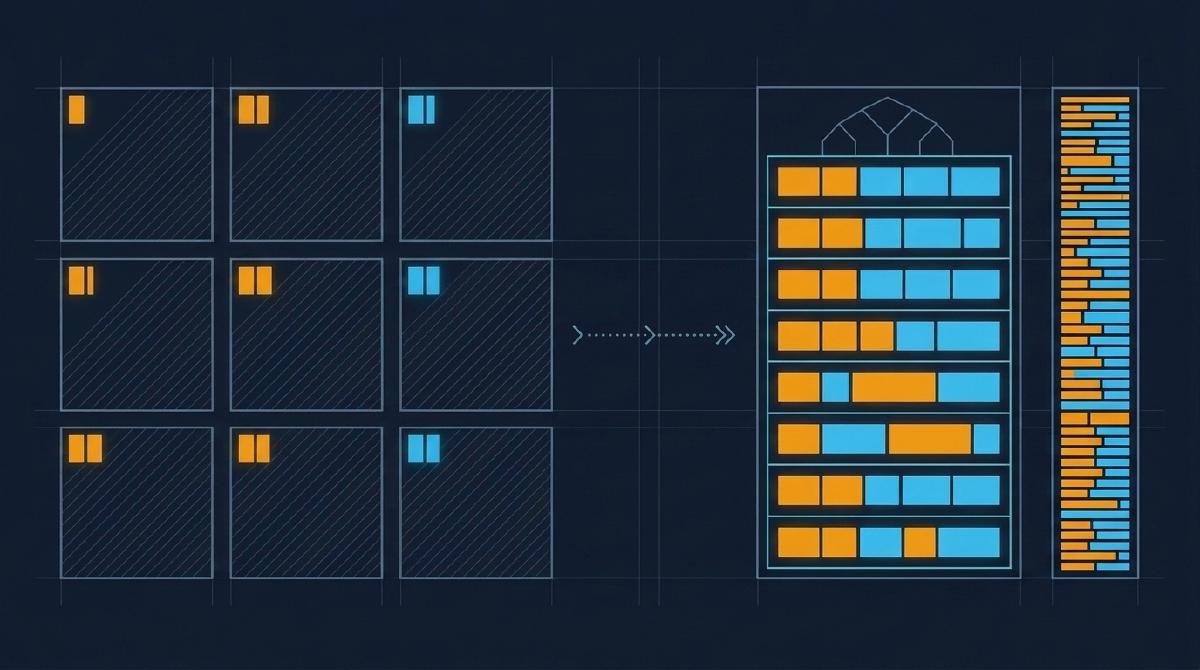
The headline number comes from the SQLite team’s own benchmark, “35% Faster Than The Filesystem”. In their tests with roughly 10 KB binary blobs, storing objects inside a single SQLite database file was around 35% faster for reads and writes and consumed about 20% less disk space than writing each blob as a separate file on disk.
The mechanism is straightforward, and it has very little to do with SQL itself:
- System call amortization: Reading or writing 1,000 separate files requires 1,000
open()and 1,000close()calls, each crossing the user-kernel boundary, checking permissions, and walking directory entries. SQLite opens one database file once, seeks to internal B-tree page offsets, and closes once at the end. - Block padding elimination: General-purpose filesystems allocate space in fixed blocks (typically 4 KB). A 5 KB file consumes two blocks (8 KB), leaving 3 KB of slack. Across tens of thousands of small blobs, internal fragmentation adds up quickly. SQLite packs rows tightly inside its own pages.
Filesystem (4 KB blocks, separate files):
[ File A: 5 KB ] -> [ 4 KB ][ 1 KB | 3 KB slack ]  (24% wasted)
[ File B: 5 KB ] -> [ 4 KB ][ 1 KB | 3 KB slack ]  (24% wasted)
  -> Requires separate open() / stat() / close() per file

SQLite (4 KB pages, packed B-tree):
[ Page 1: 4 KB ] -> [ Header | Blob A (part) | ... ]
[ Page 2: 4 KB ] -> [ ... Blob A | Blob B | ...   ]
  -> Single open() handle, B-tree offset lookup, minimal slack
Independent production systems have confirmed and even exceeded those numbers on smaller payloads. Zerodha’s open-source Blobasaur storage server, which backs user preferences and chart layouts for tens of millions of trading accounts on Kite, uses sharded SQLite files with zstd compression behind a Redis-compatible protocol. On sub-1 KB reads, Zerodha and follow-up benchmarks observed SQLite outperforming raw filesystem reads by 2.5x to 3.3x, while sharding across multiple SQLite files bypassed SQLite’s single-writer lock.
Still, context matters. The SQLite authors themselves document the boundary in “Internal Versus External BLOBs”: above roughly 100 KB, the advantage flips back to the filesystem. Large sequential reads and writes (media, binaries, logs) let the OS page cache, readahead, and extent allocators shine without B-tree page-splitting overhead. And all benchmarks vary substantially by OS, filesystem (APFS, ext4, NTFS, ZFS), hardware, antivirus hooks, and SQLite configuration (such as WAL mode and mmap_size).
Why shouldn’t we replicate the entire filesystem in SQLite?#
Once engineers see the small-blob numbers, a tempting idea emerges: what if a file manager, terminal, or OS layer kept a SQLite mirror alongside the filesystem and dynamically routed reads and writes to whichever was faster?
In practice, building a transparent dual-copy or drop-in SQLite filesystem creates more problems than it solves:
- POSIX semantics are unforgiving: Filesystems are not just key-value blob stores. They guarantee hierarchical directory renames, hard links, permissions, sparse files, advisory and mandatory locking, crash-consistent metadata journaling, and concurrent multi-process writes. Mapping all of that onto relational tables adds heavy translation overhead.
- Dual-copy consistency is a trap: Maintaining two authoritative copies (SQLite for small files, the native filesystem for large ones) with automatic arbitration forces you to solve distributed-state synchronization locally: two-phase commits, lock ordering, and recovery when a crash happens mid-migration as a file grows past 100 KB. As I noted in AI Agents Do Not Feel Pain, clever abstractions that hide operational complexity create deferred maintenance pain that shows up when the system is under stress.
- Single-writer concurrency: SQLite allows many concurrent readers in WAL mode, but only one writer at a time per database file. A busy multi-process build or OS workload hammering thousands of concurrent writes into one file will hit write contention unless you shard, at which point you are rebuilding a storage engine.
Experimental FUSE-based SQLite filesystems exist, and they are instructive toys, but none have displaced ext4, APFS, or ZFS for general OS workloads.
What do BeFS and WinFS teach us about database filesystems?#
We do not have to guess how database-style filesystems behave in the real world because operating system history already ran two famous experiments in opposite directions.
BeFS: Add indexed attributes to a real filesystem#
In the mid-1990s, Be Inc. built the Be File System (BeFS) for BeOS. As principal engineer Dominic Giampaolo documented in Practical File System Design with the Be File System (freely available on the Internet Archive), BeFS did not replace the filesystem with a relational SQL engine. Instead, it remained a clean, 64-bit journaled filesystem with extent-based block allocation for fast multimedia I/O, and added first-class extended attributes indexed by B+trees.
BeFS Architecture (Filesystem + Indexed Attributes):
  File Data  ---> Extent-based blocks (fast sequential I/O)
  Metadata   ---> Extended Attributes (e.g., Author, Status, Email:From)
                       |
                       v
                  Live B+tree Indexes ---> Instant filesystem queries
Applications could query the filesystem directly (“find all emails from this sender” or “find all audio tracks by this artist”) at database speeds without forcing file bytes into database tables. BeFS still lives today as OpenBFS inside the open-source Haiku operating system, proving that attribute-rich, queryable filesystems are durable when they respect block-storage fundamentals.
WinFS: Force a relational engine on top of NTFS#
A decade later, Microsoft took the inverse approach with WinFS (Windows Future Storage), slated as a pillar of Windows “Longhorn” (later Vista). WinFS layered a SQL Server-derived relational engine on top of NTFS to turn every file, contact, email, and photo into a queryable relational object with typed relationships.
The ambition outpaced the hardware and the architecture. WinFS suffered from severe CPU, memory, and synchronization overhead, became a bottleneck for everyday file operations, was pulled from Vista in 2004, and was officially canceled in June 2006. Its useful ideas migrated into narrower, purpose-built subsystems like Windows Search and SQL Server unstructured storage, not the core OS file layer.
Modern filesystems like ZFS, APFS, and Btrfs took the BeFS lesson to heart: they borrow database-like properties (copy-on-write transactions, checksums, snapshots, extensible properties) without turning POSIX paths into SQL rows.
Does Git need SQLite to replace .git/objects/?#
Git looks like a textbook candidate for SQLite at first glance. A repository is full of small compressed blobs, trees, commits, and refs, and .git/objects/ uses a two-level directory hash (for example, .git/objects/ab/cdef...) to avoid putting too many files in one folder, a constraint-driven layout I explored in Designing Around Constraints.
Yet here too, the answer is partially yes for loose objects, and mostly no for the repository as a whole, because Git already solved the many-small-files problem another way: packfiles.
Git Loose Objects (.git/objects/):
  ab/cdef12...  (individual zlib file, 1 inode + open/close each)
  ab/987654...  (individual zlib file, 1 inode + open/close each)

Git Packfile (.git/objects/pack/):
  pack-xxxx.pack  [ Object 1 | Delta 2 | Delta 3 | ... ]  (1 large file)
  pack-xxxx.idx   [ Hash -> Offset lookup table ]         (random access)
When you run git gc or Git’s background maintenance runs, loose objects are collapsed into a few large .pack files paired with .idx binary indexes. Packfiles do two things a naive SQLite BLOB table does not do automatically:
- Amortization at scale: Thousands of small objects sit inside one contiguous file, eliminating per-object
open()/close()and block-slack overhead just like SQLite does. - Delta compression across history: Packfiles store objects as compressed deltas against similar objects, shrinking repository footprints dramatically more than per-row zlib compression alone.
Where SQLite does look attractive in Git is loose objects and refs, especially in active local repositories with high churn before packing runs, or in custom tooling using libgit2 pluggable object and ref backends (odb and refdb). Replacing the two-level loose-object directory hash with a single-file store (or using Git’s newer reftable format for refs) directly targets the exact small-file regime where filesystems struggle.
And if you want to see what an all-SQLite version control system looks like when designed from scratch, look at Fossil SCM, built by SQLite creator D. Richard Hipp. As Hipp details in “101 Reasons Why Fossil Is Better Than Git”, Fossil stores the entire repository, including zlib- and delta-compressed artifacts, wiki pages, and tickets, in a single ACID-compliant SQLite file. It works remarkably well for Fossil’s integrated workflow, even making cryptographic hash migrations (like adding SHA3-256 alongside SHA-1) clean. But Fossil is a different system with different scale and ecosystem assumptions, not a drop-in replacement for Git’s packfile-centric universe.
When should you actually use a SQLite-filesystem hybrid?#
Instead of asking whether SQLite should replace the filesystem, ask where your workload sits on the size and access-pattern curve:
- Use SQLite (or sharded SQLite) when you manage thousands to millions of small, structured, or queryable blobs under ~100 KB (thumbnails, local caches, app state, metadata, embedded indexes) and benefit from atomic transactions and SQL queries.
- Use the native filesystem when payloads exceed ~100 KB, access is sequential streaming, or multiple external tools expect standard POSIX paths.
- Use a targeted hybrid when an application owns both: store metadata, small payloads, and queryable attributes in SQLite, and keep large binary assets on disk referenced by path or content hash.
The lesson from SQLite’s benchmarks, BeFS, WinFS, and Git is consistent. Great storage engineering rarely comes from forcing one abstraction to do everything. Just as higher-level tooling succeeds when it respects the boundaries of the layer beneath it (a pattern I also examined in The Next Compiler), storage architecture works best when you match each layer of data to the structure that handles its size, concurrency, and access pattern best.